Your entire SDLC, run by you and an AI, in one local-first workspace
Turn your requirements, documents, and mockups into ready-to-run AI workflows — one per feature, each ending in a working, integrated build. Once generated, every workflow carries its own context, so anyone can pick it up and run it without re-explaining the feature from scratch. You decide which model runs which task, so you're not paying premium-model prices for routine work.
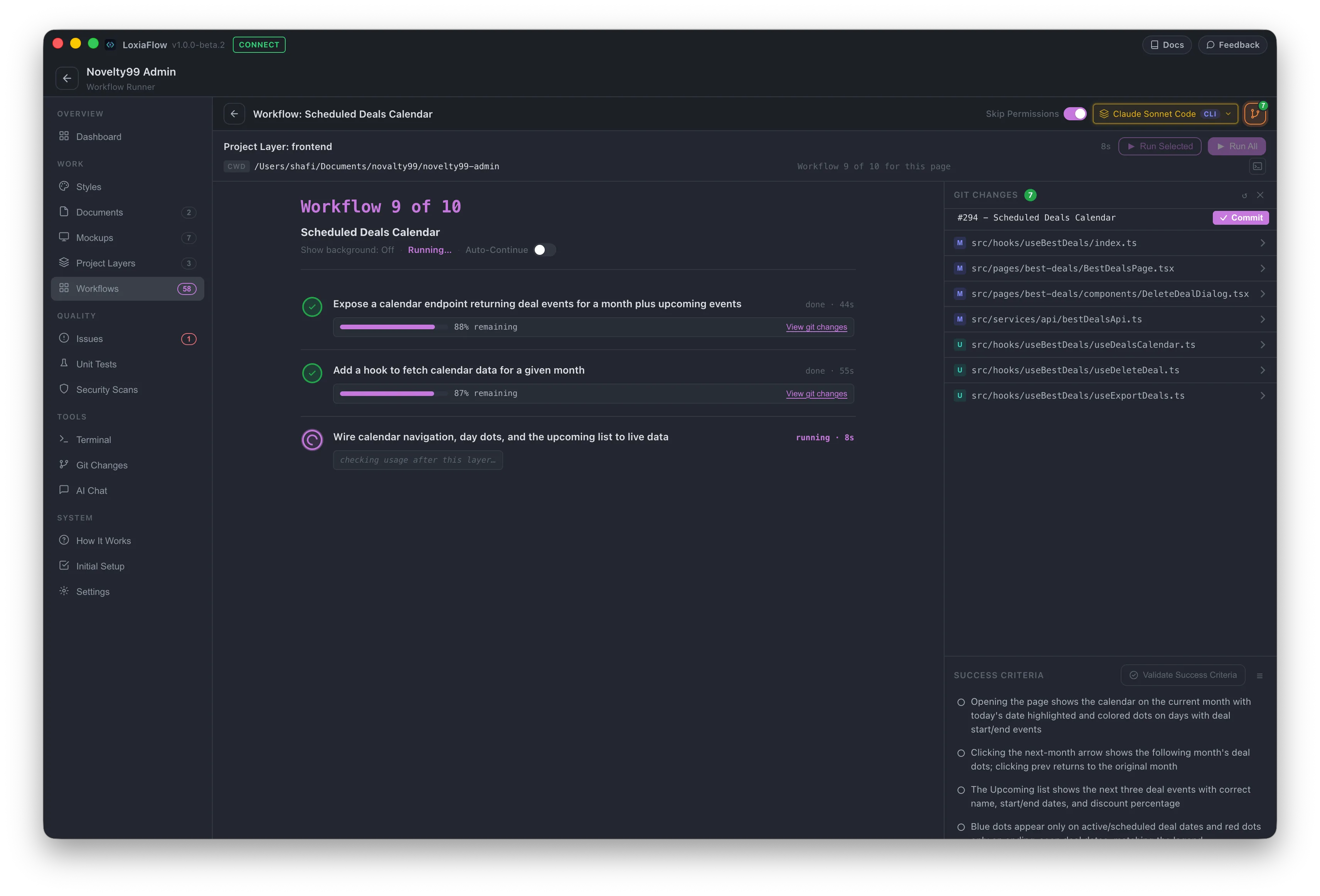
Building software solo means being your own PM, architect, and QA team
Your tools don't talk to each other. LoxiaFlow solves that by bringing design, documentation, execution, and issue tracking into one local-first application.
Full-stack, multi-layer applications
Perfect for systems with real backends, databases, APIs, and screens that share state and data contracts.
Simple pages or legacy maintenance
One orchestrator, every phase of the build
From workflow generation to execution — grouped by how you'll actually use them.
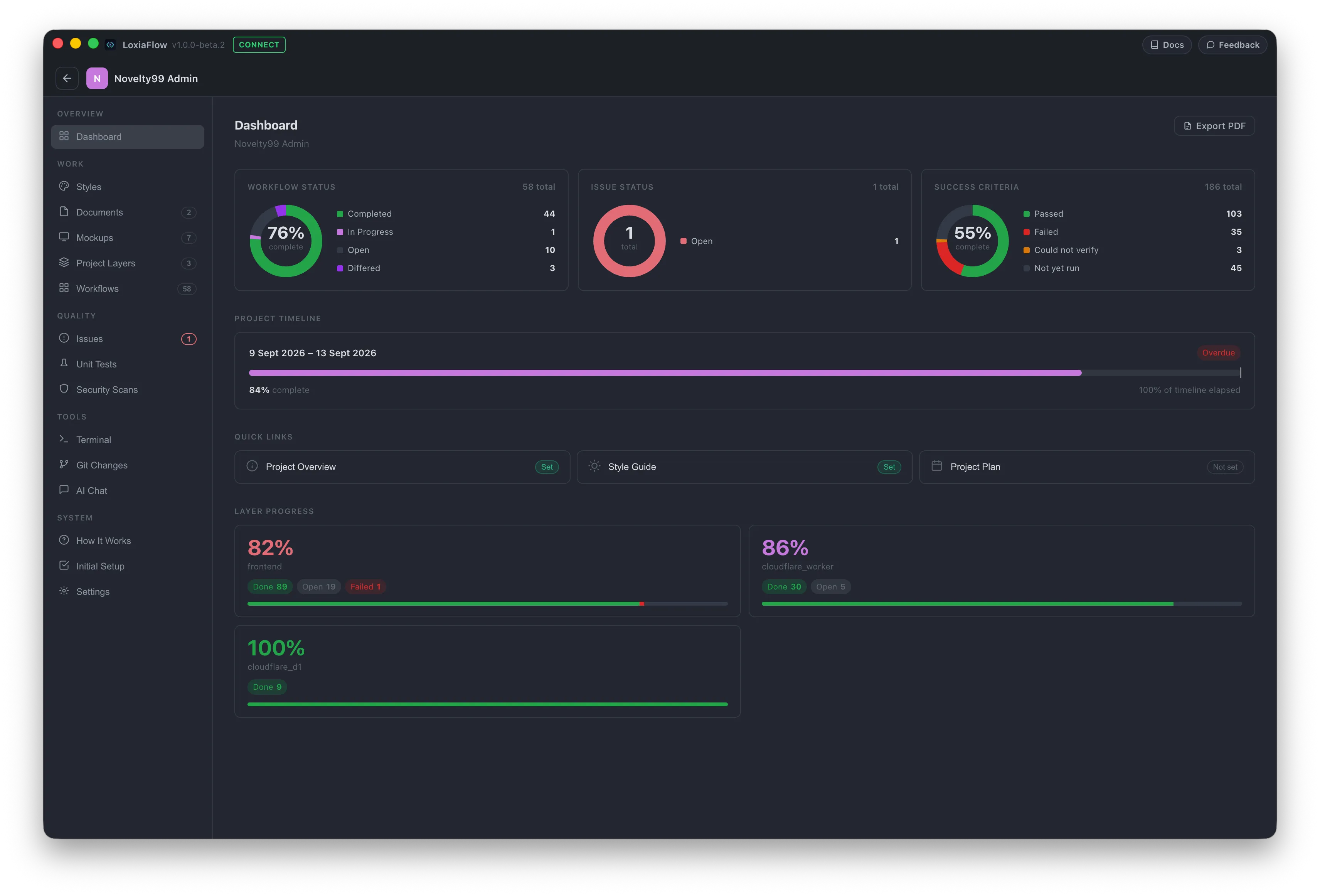
Always know where the project actually stands
A single dashboard rolls up workflow completion, open issues, and last test run results — so you get a high-level read on project health without digging through every page.
- ✓Unified Health Rollup: Workflow progress, open issues count, and test failures at a glance.
- ✓Live Git Status: Active branch tracking and uncommitted change badges with background polling.
- ✓Instant Navigation: Quick jump directly to Project Overview, Architecture, and Style Guide.
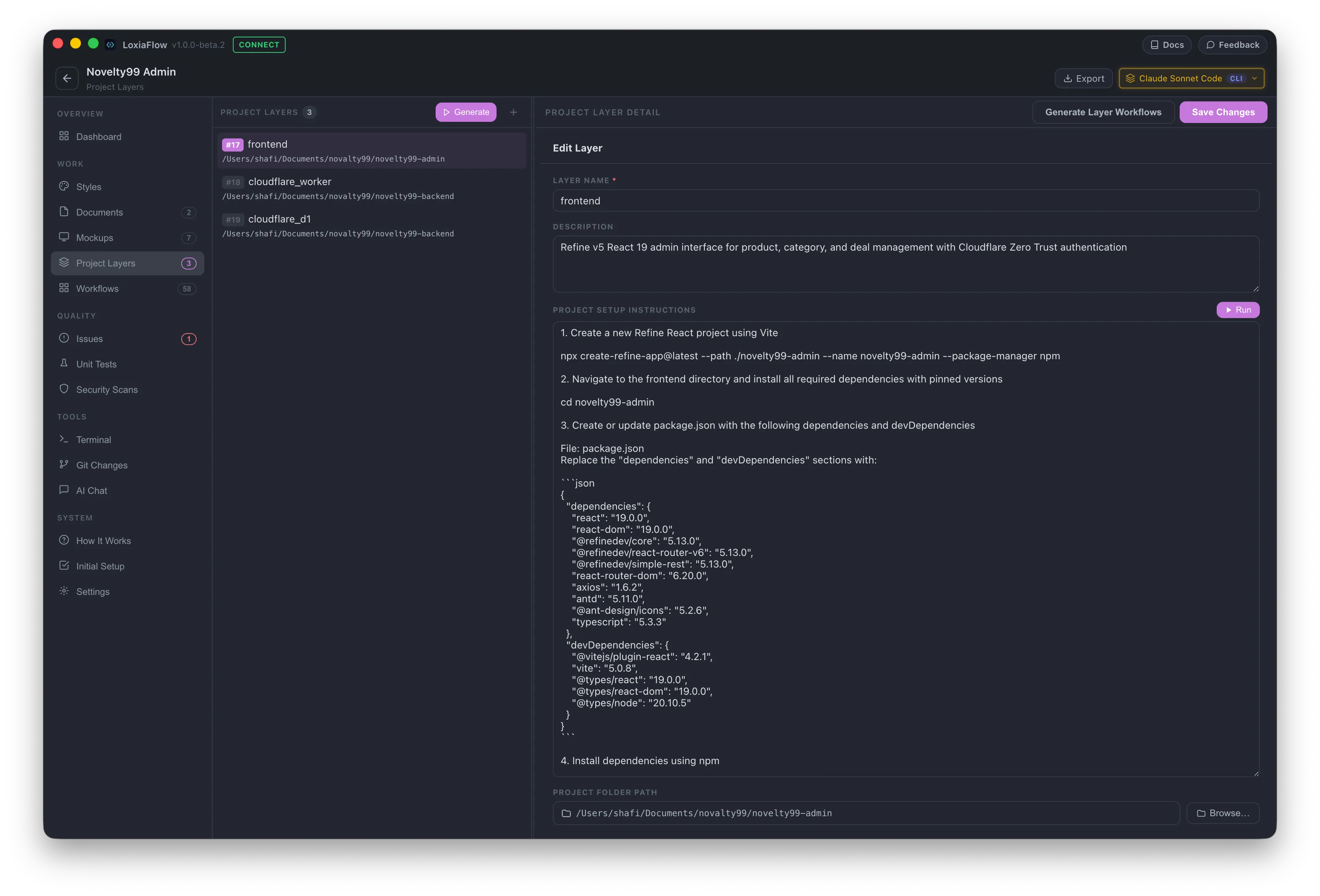
Define your architecture once, use it everywhere
Break your system into layers — Frontend, Backend API, Mobile, Database, Infrastructure — with setup instructions AI can generate for you by reading your project docs.
- ✓AI-Suggested Layers: Automatically extracts layer topology from your requirement docs.
- ✓Layer Execution Setup: Scaffold commands, dependency install steps, and run commands per layer.
- ✓Unified Context Pipeline: Layers directly power Workflows, Testing, Git, Issues, and Security scans.
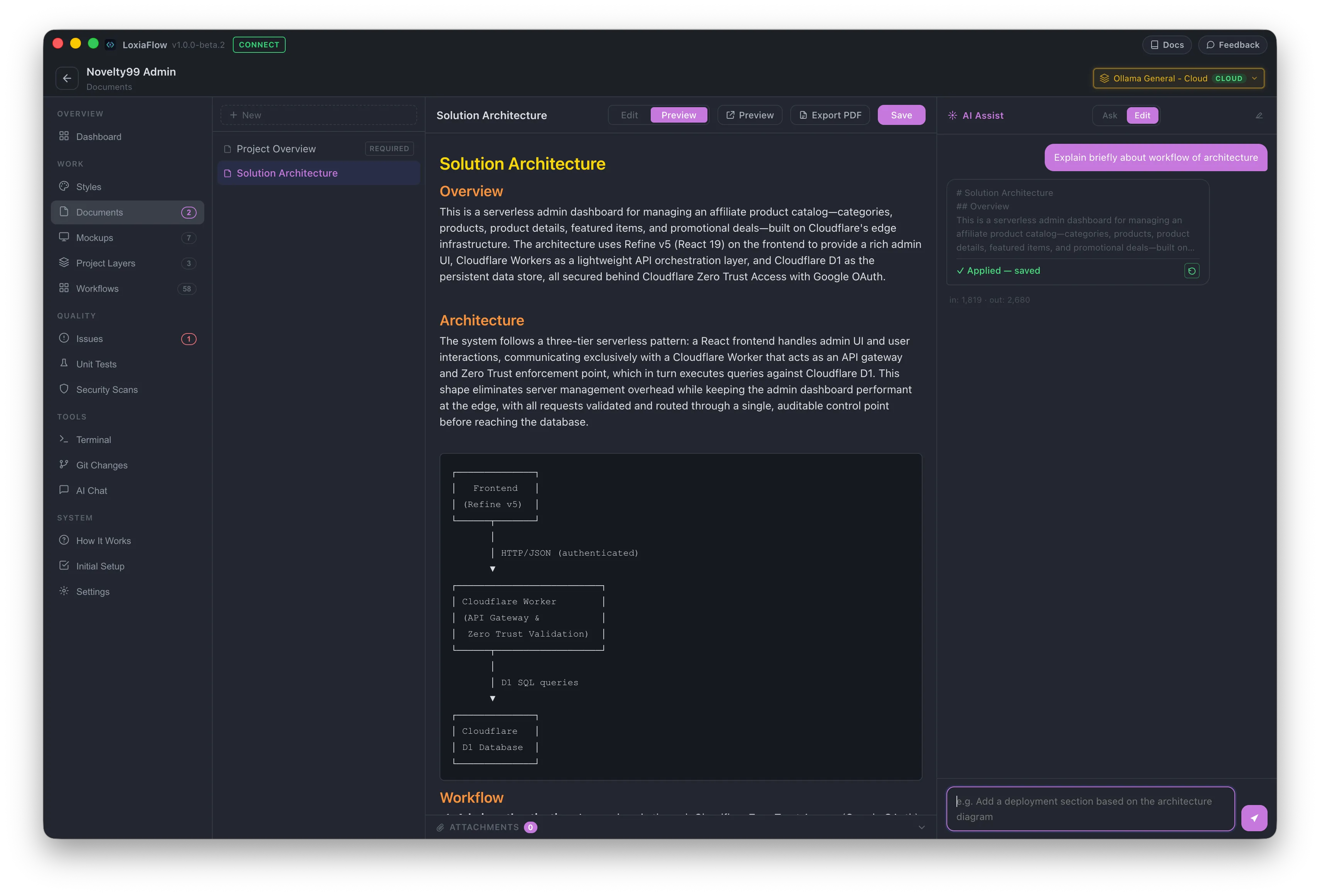
Write specs that the AI actually reads back
A full Markdown editor with AI editing built in — PRDs, architecture decisions, API specs — with SVG and draw.io diagram attachments rendered inline.
- ✓AI Inline Editor: Rewrites, elaborates, or structures PRD sections on conversational instruction.
- ✓draw.io Round-Trip: Visual diagram editor built right in, syncing state back into markdown files.
- ✓Export Ready: Instantly compile and export any document into a styled publication-grade PDF.
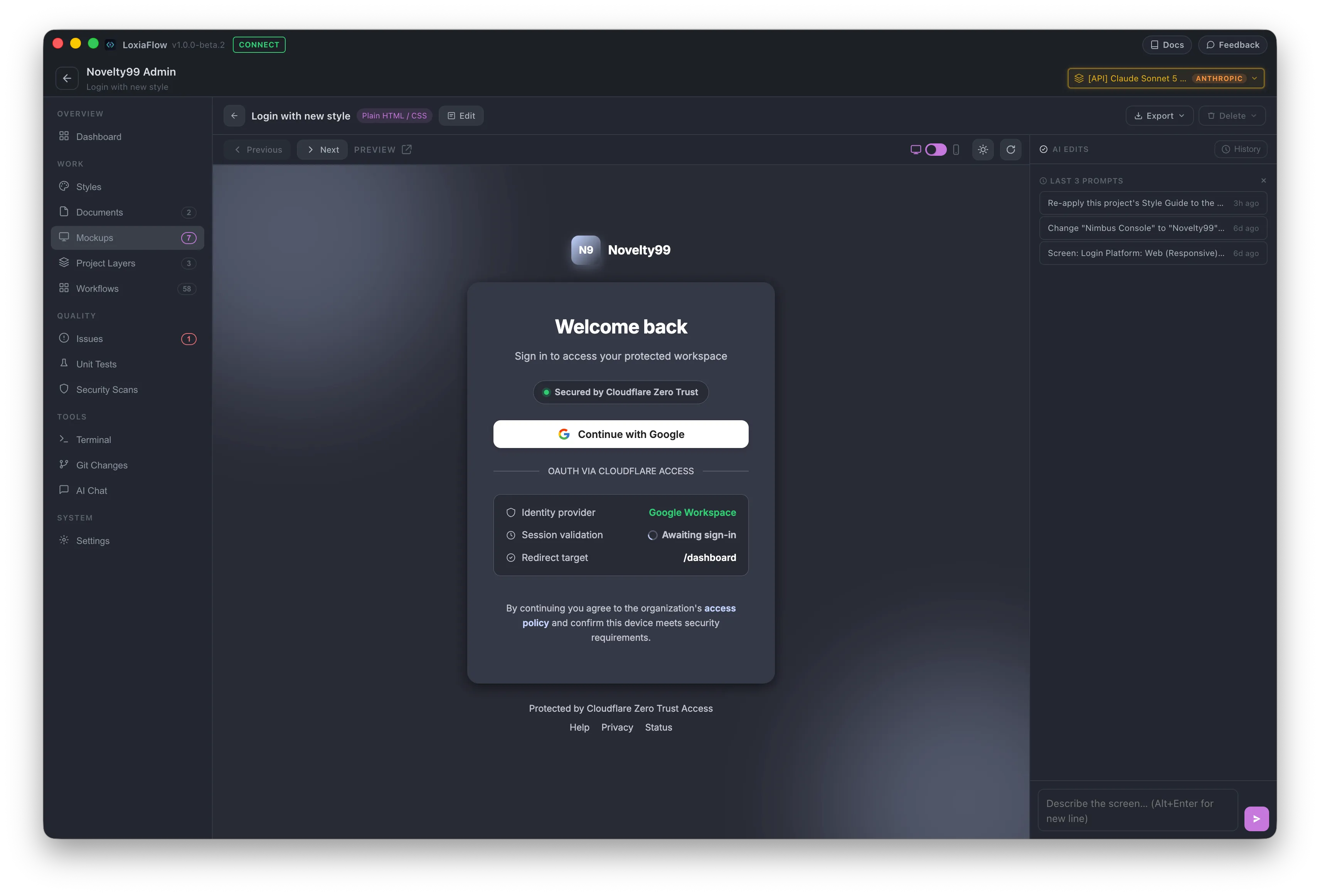
Go from a sentence to a real screen mockup
Describe a screen in plain language and get a live HTML/CSS mockup — styled with your project's own design system, from 30+ built-in templates across e-commerce, finance, social, and more.
- ✓Style Guide Injected: Automatically uses your project colors, typography, and UI tokens.
- ✓Iterative Chat Canvas: Generate screen-by-screen with full code editing and live browser rendering.
- ✓Workflow Linking: Bind generated mockups directly to workflows to scope implementation work.
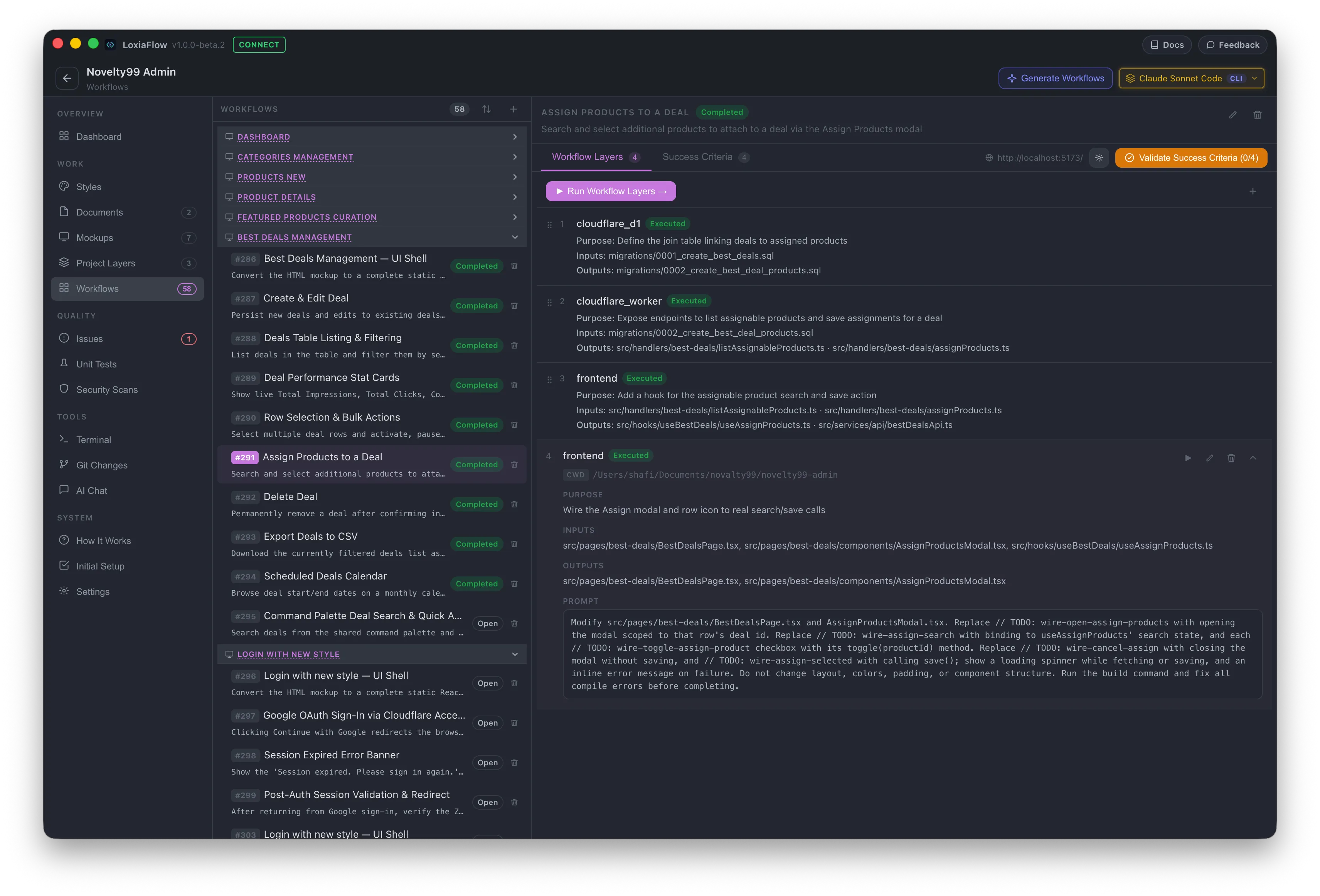
Never re-explain your project to the AI again
Generate a complete set of implementation workflows from a mockup and your project docs in one AI call. Each workflow carries the full project requirements with it and breaks them into serial, testable units — so the context lives in the workflow, not in your head.
- ✓Zero Context Drift: Any developer can pick up an existing workflow and run it without re-briefing.
- ✓Step-by-Step Verification: Mark success criteria items off as you verify, validating feature-by-feature.
- ✓Chained Execution: Run All chaining with live streaming terminal output and pop-out window support.
Note: some feature mapping across pages still needs a manual prompt nudge rather than being fully automatic.
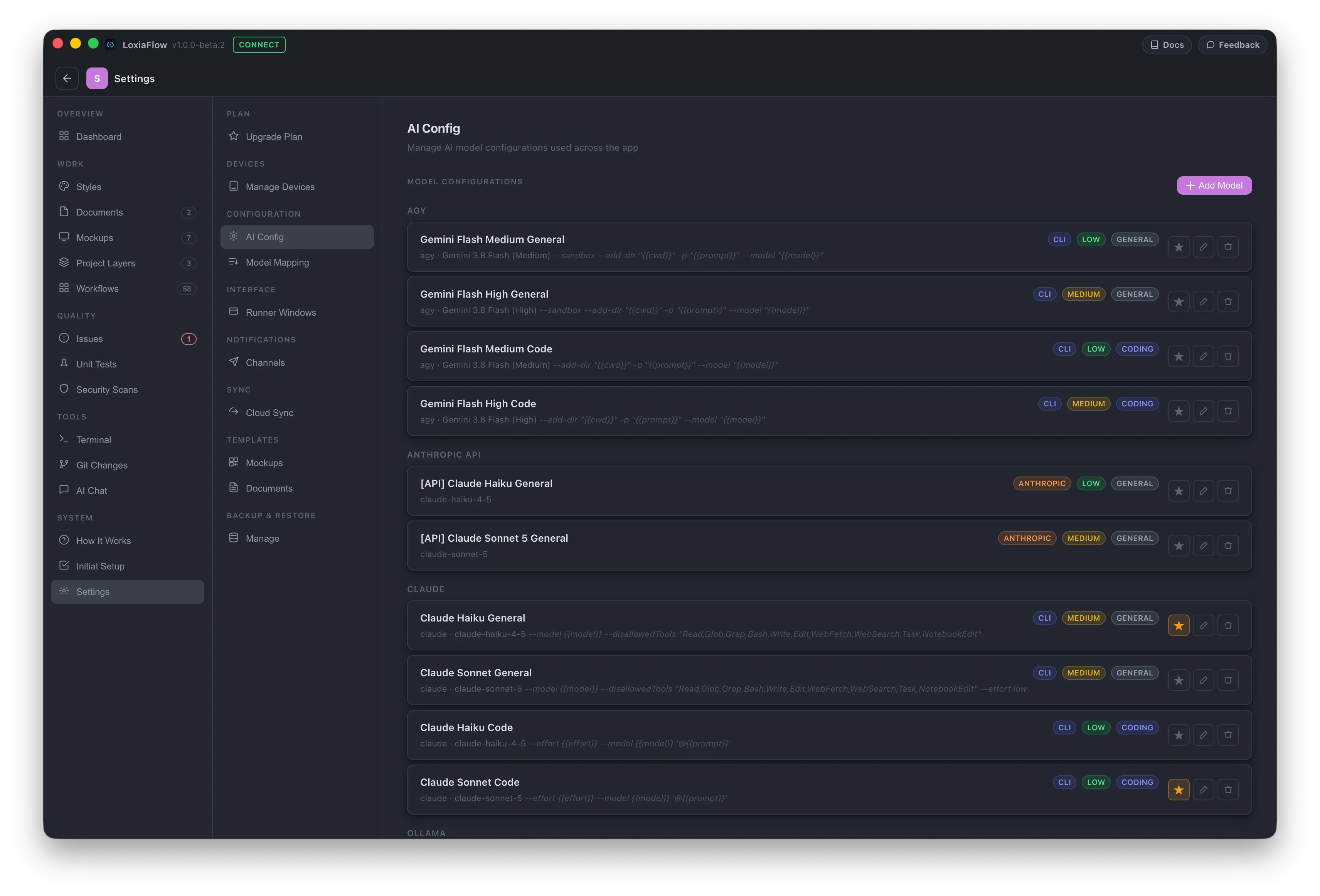
Bring your own coding engine to run each workflow
Workflows execute through whichever coding tool you already use — nothing proprietary or locked in. Point LoxiaFlow at an external CLI, or keep everything fully local.
- ✓CLI Pluggability: Seamlessly plug in Claude CLI, Agy CLI, or any CLI tool already on your PATH.
- ✓100% Local with Ollama: Run on-device models with zero cloud calls and no per-token billing.
- ✓Consistent Engine Abstraction: Same deterministic orchestration drives execution across any engine.
Framework-aware tests, generated and run for you
Generates tests for Flutter, Python, .NET, Java, Go, Ruby, and JS/TS, with live-parsed pass/fail results and run history.
- ✓ Auto-detects framework from project markers, not guesswork
- ✓ Logic quick-select identifies files most worth testing
- ✓ Live pass/fail result streaming and test coverage
Per-layer scanning that feeds straight into Issues
Auto-detected scan commands, live output, and severity-tracked history for every layer in your project.
- ✓ Three categories: Dependency Audit, SAST, Secret Leak Scan
- ✓ Built-in secret scanner catches API keys and tokens with zero tools
- ✓ Live severity breakdown and 1-click Create Issue
Track bugs, then batch-fix them with AI
Track bugs with severity and status, then batch-run AI fixes across open issues sequentially.
- ✓ Interactive Run Selected or Run All auto-chaining
- ✓ Live terminal stream with pre-filled commit message
- ✓ Automatic resolution marking upon test success
Where LoxiaFlow fits next to VS Code and Cursor
VS Code and Cursor are mature, best-in-class editors for writing and debugging code. LoxiaFlow isn't trying to replace them — it orchestrates coding through CLI engines like Cursor CLI or Claude CLI underneath its workflows, while you keep VS Code (or any editor) open for diffs and code review. Some feature mapping across pages still needs a manual prompt nudge rather than being fully automatic.
| Capability | VS Code General Code Editor | Cursor AI-First IDE | ✨ LoxiaFlow SDLC AI Companion |
|---|---|---|---|
| Core Editor & IDE | FullEditing, debugging, huge extension ecosystem, multi-provider model picker | FullSame core strengths, AI-first, built-in model picker | NoneNot an editor — pairs with the one you already use |
| SDLC & AI Orchestration | NoneNo requirements, architecture, or workflow orchestration | PartialAI chat only, session context resets on restart | FullRequirements, architecture, mockups, and multi-step workflows built in |
| Quality, Security & Privacy | PartialTesting and scanning via extensions only | PartialVia extensions, cloud-dependent | FullBuilt-in testing, security scanning, and issue tracking — runs fully local |
Two cost levers — and you decide how to pull them
LoxiaFlow splits AI usage into two categories so you're not paying per-token API rates for heavy coding work when a subscription CLI does it for a flat fee.
CLI Coding Engines
High Token Volume- Claude CLI (Anthropic Pro / Max)
- Agy CLI (Google Antigravity)
- LoxiaFlow Agent — Ollama (Local GPU)
- Any custom terminal coding engine on PATH
Massive codebases and multi-file workflows burn through millions of tokens. Running through subscription CLIs or local Ollama costs zero extra API dollars.
Direct Cloud APIs
Low Token Volume- OpenAI-Compatible API (DeepSeek, Groq, Mistral, etc.)
- Anthropic API (Direct Claude Sonnet / Haiku)
- Ollama API (Direct local or private server endpoint)
- Claude CLI / Agy CLI (Isolated single-prompt mode)
Writing PRDs, generating mockups, and reviewing architecture layers requires sporadic, fast calls — direct API calls cost fractions of a cent with no subscription needed.
6 of 7 standard SDLC phases, fully covered
LoxiaFlow is a pre-deployment companion — pair it with your existing CI/CD pipeline for the last mile.
Free for early users who help us shape it
LoxiaFlow is a paid product — but early on, we'd rather earn feedback than revenue. Download now to claim a free license as a founding member.
Download & Register
Download LoxiaFlow for macOS, Linux, or Windows and start your trial by registering inside the app.
14-Day Free TrialClaim Free License
As a founding member, you'll receive both a full Trial license key and a complimentary Connect key.
Trial + Connect KeyShare Feedback
Tell us what works and what doesn't. Your feedback directly prioritizes the product roadmap.
Direct Team ChannelDownload LoxiaFlow for desktop
Paid plans coming soon — free for founding members, first 25 registrations only.
Enter your email to receive the Windows installer (.exe) download link & claim your free Founding Member license key.