The AI-Driven Development Lifecycle (AIDLC), on your desktop
Local-first: AI assists at every step from planning to maintenance, with agentic execution when you want it — you stay in control.
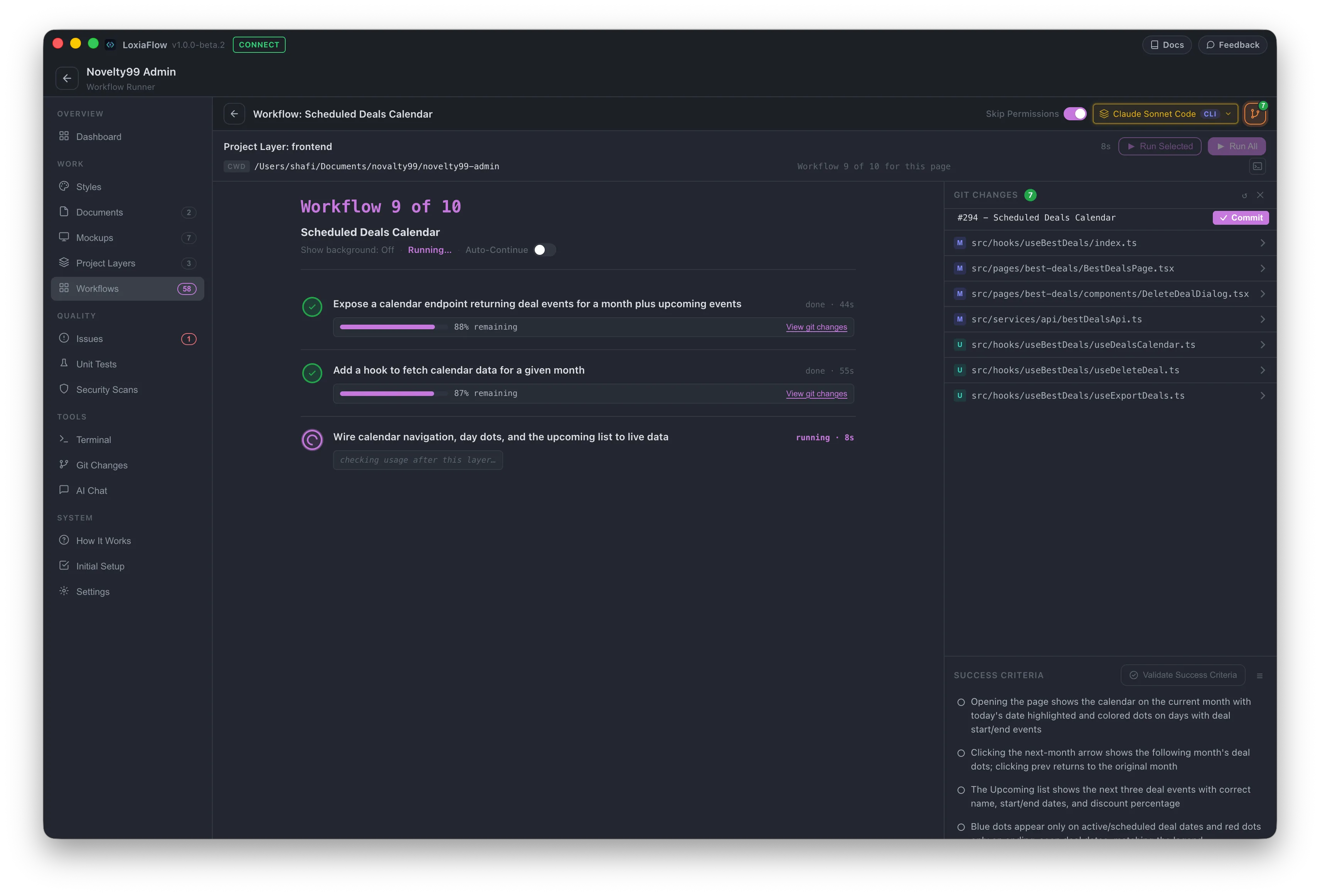
Your developers are also your PMs, architects, and QA — AI can carry that load
Specs, designs, code, and issue tracking live in tools that don't talk to each other. LoxiaFlow brings them into one local-first application on each developer's machine, with AI assisting at each step from planning to maintenance.
Full-stack, multi-layer applications
Perfect for systems with real backends, databases, APIs, and screens that share state and data contracts.
Simple pages or legacy maintenance
Plan. Execute. Verify. Iterate.
LoxiaFlow isn't a chat box bolted onto an editor. Plan-driven AI agents read, edit and run your code, batch-fix issues, and verify success criteria with AI-generated Playwright checks — all on your machine, against your project files, with your models.
Requirements become per-feature workflows
Generate Workflows turns your documents and mockups into an implementation plan — one self-contained workflow per feature, layered across your app's architecture.
Agents run the work
Run a workflow layer, a single issue, or queue a batch with Run All / Run Checked. Agents read and write files and run shell commands in your project through your chosen engine.
Checks tell you whether it worked
When you trigger them, Success Criteria are checked against your running app with Playwright scripts generated by your API model, and the Test Generator and Security Scans add further checks — pass or fail, with a reason.
You close the loop
Test and security failures become issues in one click, ready to hand back to the Issue Runner. You review changes in the Git panel, so what gets kept is your call.
You decide how much the agents get to do
AI does the work, you validate it. You choose the scope, the model, and the permissions — and your developers review the results before anything leaves their machines.
Hands-on or hands-off
Run a single issue interactively and steer it, or queue several and let them run one after another. A Skip Permissions toggle controls whether your CLI engine asks before acting. Queued runs skip permission prompts and mark an issue Resolved when the agent finishes without error — they don't run tests — so review each issue's git diff afterward.
Local-first guardrails
Agents work in your local project folder and your git working tree. Nothing is pushed anywhere unless a developer pushes it, and your source stays on your own machines.
Know when it's done
When a long run finishes — a Run All queue, workflow or mockup generation, tests or security scans — LoxiaFlow sends a desktop notification, plus a Telegram message for each queued job if you've configured it, so you don't have to watch it run.
Each developer works in their own local workspace; projects can be shared across devices with opt-in cloud sync, which locks a project while one person edits it. Real-time shared team workspaces are planned. Within a project, agents run one task at a time in sequence, not in parallel. LoxiaFlow is built for new projects — full import of an existing repository is planned, while today you can point a single layer at existing code.
One agent orchestrator, every phase of the build
From workflow generation to execution — grouped by how you'll actually use them.
Always know where the project actually stands
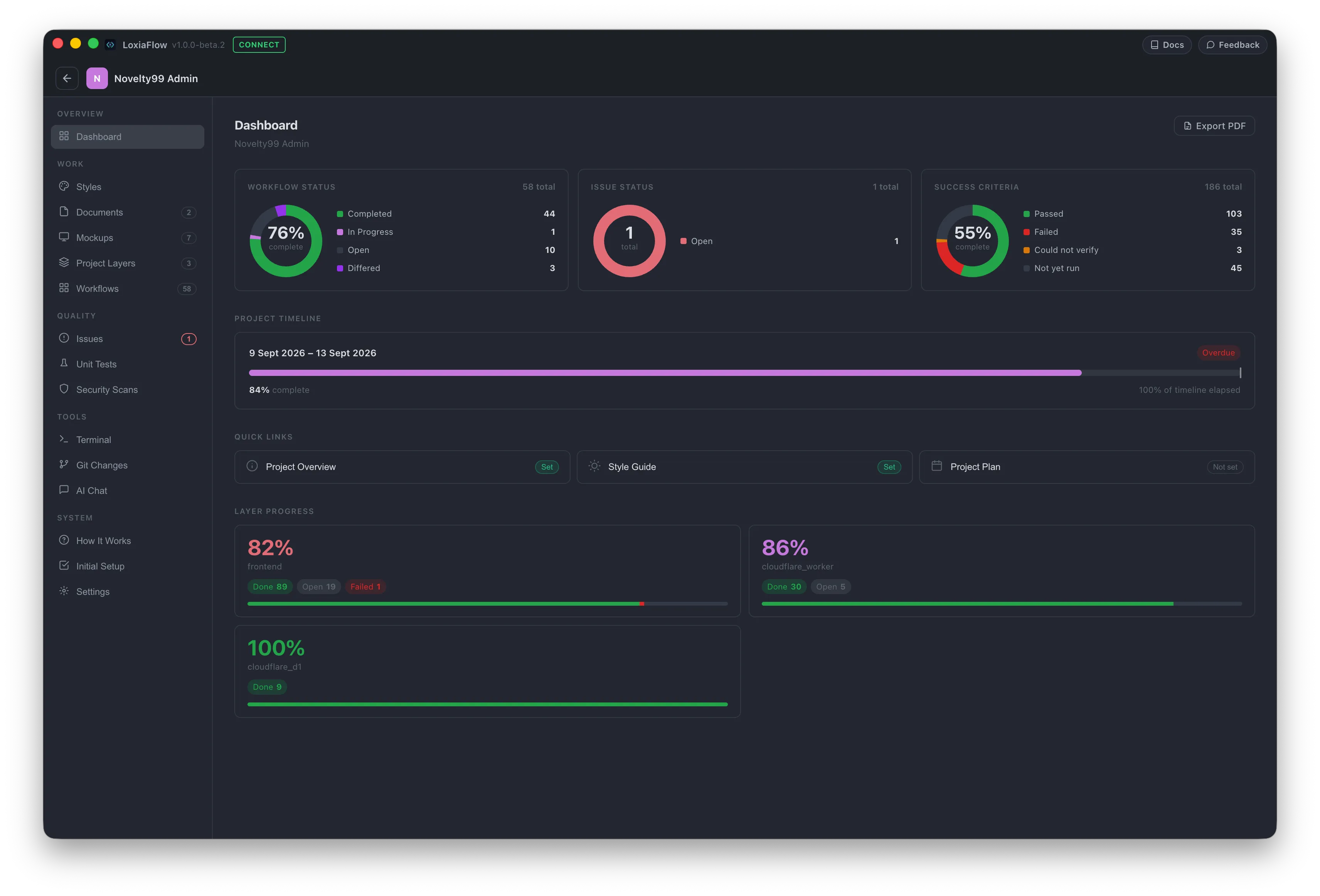
A single dashboard rolls up workflow, issue, and success-criteria status, your project timeline, and time and API spend — so you get a high-level read on project health without digging through every page.
- ✓Unified Health Rollup: Workflow, issue, and success-criteria status donuts with layer progress at a glance.
- ✓Live Git Status: Active branch tracking and uncommitted change badges with background polling.
- ✓Instant Navigation: Quick jump directly to Project Overview, Project Plan, and Style Guide.
- ✓Timeline & Costing: Track progress against your start and end dates, plus time spent and API spend per project.
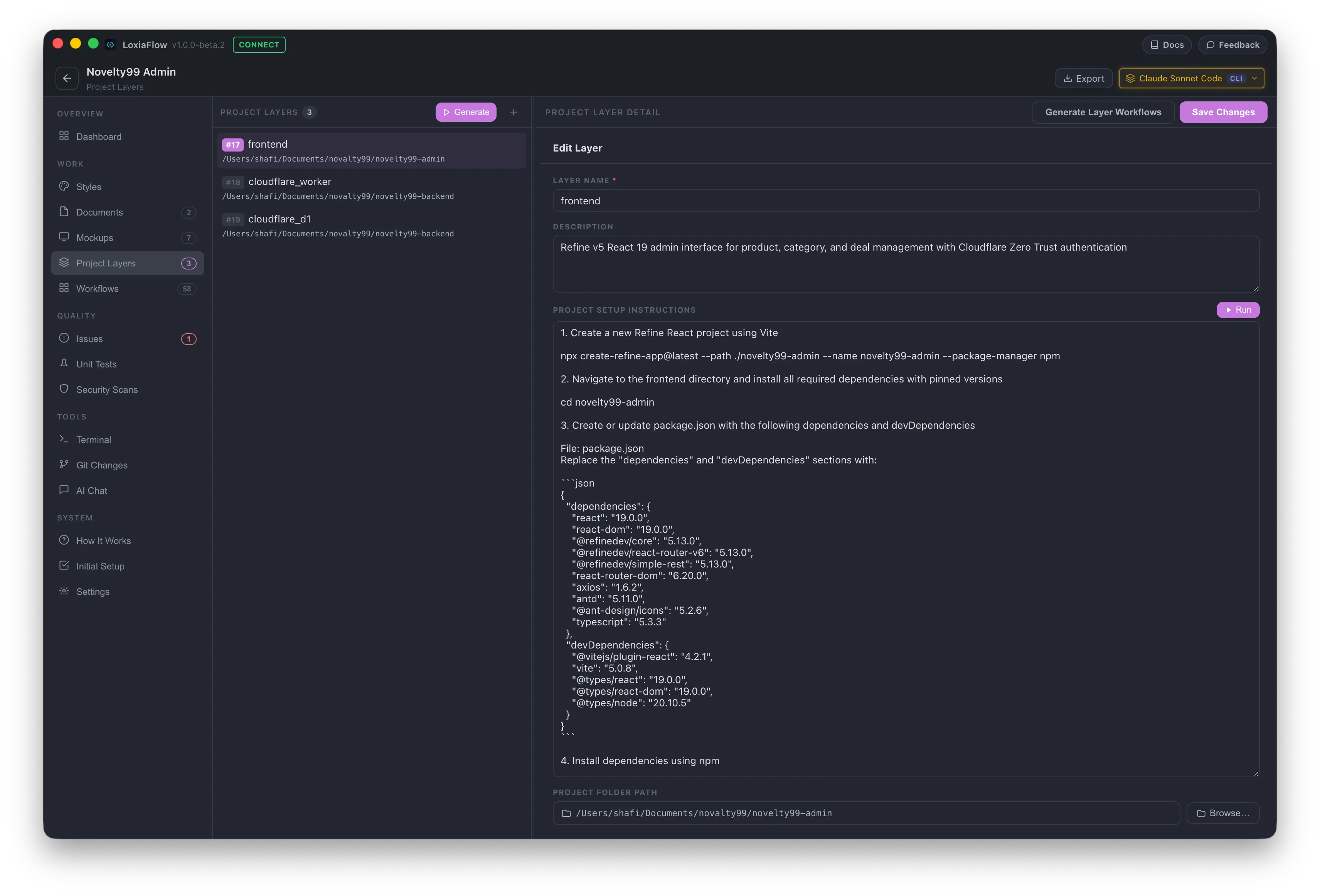
Define your architecture once, use it everywhere
Break your system into layers — Frontend, Backend API, Mobile, Database, Infrastructure — with setup instructions AI can generate for you by reading your project docs.
- ✓AI-Suggested Layers: Generate layer topology from your requirement docs, guided by the architecture pattern you choose in project setup.
- ✓Layer Execution Setup: Setup instructions and a scaffold folder structure per layer — run either in a built-in terminal with one click.
- ✓Unified Context Pipeline: Layers directly power Workflows, Testing, Git, Issues, and Security scans — and each layer can generate its own workflows.
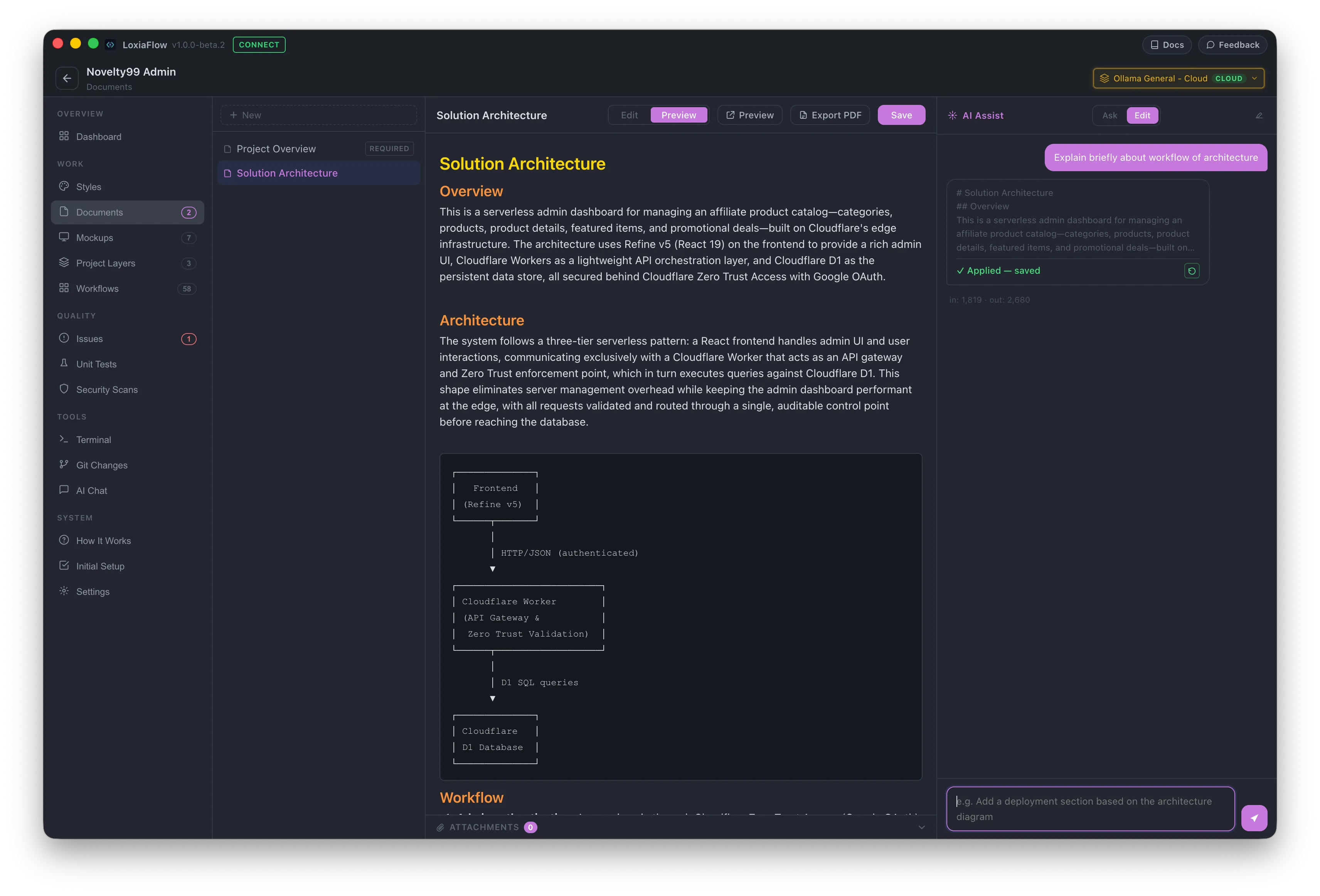
Write specs that the AI actually reads back
A full Markdown editor with AI editing built in — PRDs, architecture decisions, API specs — with Mermaid diagrams rendered inline and SVG and draw.io diagrams attached to each document.
- ✓AI Editing & Review: Edit through chat, or run one-click actions — format, TL;DR, find gaps & ambiguities, consistency check, proofread, or check against your other documents.
- ✓draw.io Round-Trip: Open any diagram in the draw.io desktop app and sync your edits back with one click — the AI reads the diagram too.
- ✓Export & History: Export any document to a styled PDF, with version history to view and restore earlier drafts.
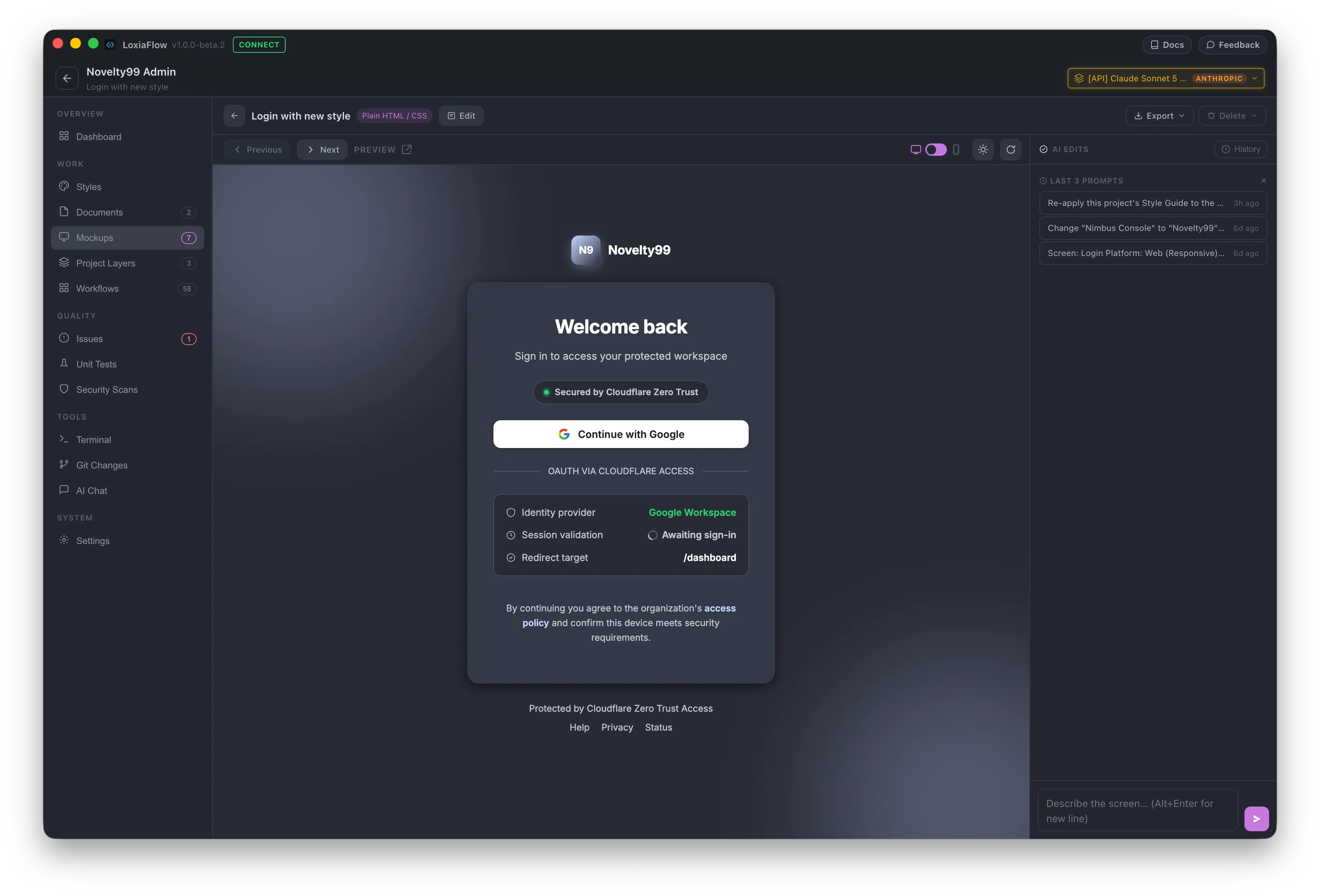
Go from a sentence to a real screen mockup
Describe a screen in plain language and get a live HTML/CSS mockup — styled with your project's own design system, from 30+ built-in web and mobile templates — dashboards, lists, forms, retail, and more.
- ✓Style Guide Injected: Uses your project colors, typography, and UI tokens — change the guide and restyle every screen in one go.
- ✓Iterative Chat Canvas: Refine each screen by chat with live rendering, batch-generate many at once, link screens into a clickable flow, and export to PNG.
- ✓Workflow Linking: Bind generated mockups directly to workflows to scope implementation work.
Never re-explain your project to the AI again
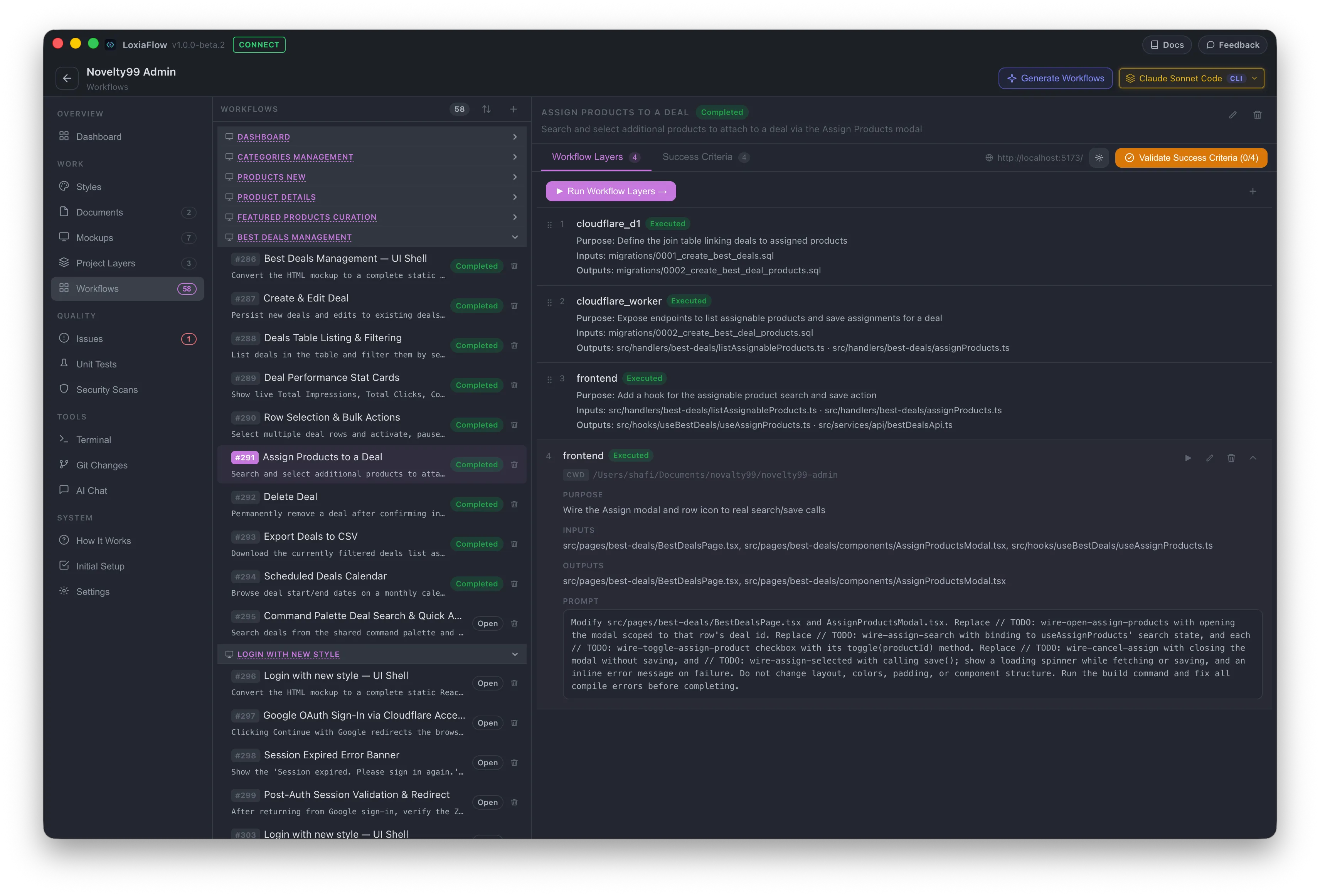
Generate a complete set of implementation workflows from your mockups and project docs in one step — or add only the missing ones later. Each workflow carries the full project requirements with it and breaks them into serial, testable units — so the context lives in the workflow, not in your head.
- ✓Zero Context Drift: Pick up a workflow weeks later and run it without re-briefing the AI.
- ✓Step-by-Step Verification: Each feature gets Given / When / Then success criteria — tick them off by hand, or check a whole page automatically with Playwright.
- ✓Chained Execution: Run All with live terminal output in a pop-out window, plus optional auto-continue to the next workflow for the same page.
Note: some feature mapping across pages still needs a manual prompt nudge rather than being fully automatic.
Bring your own coding engine to run each workflow
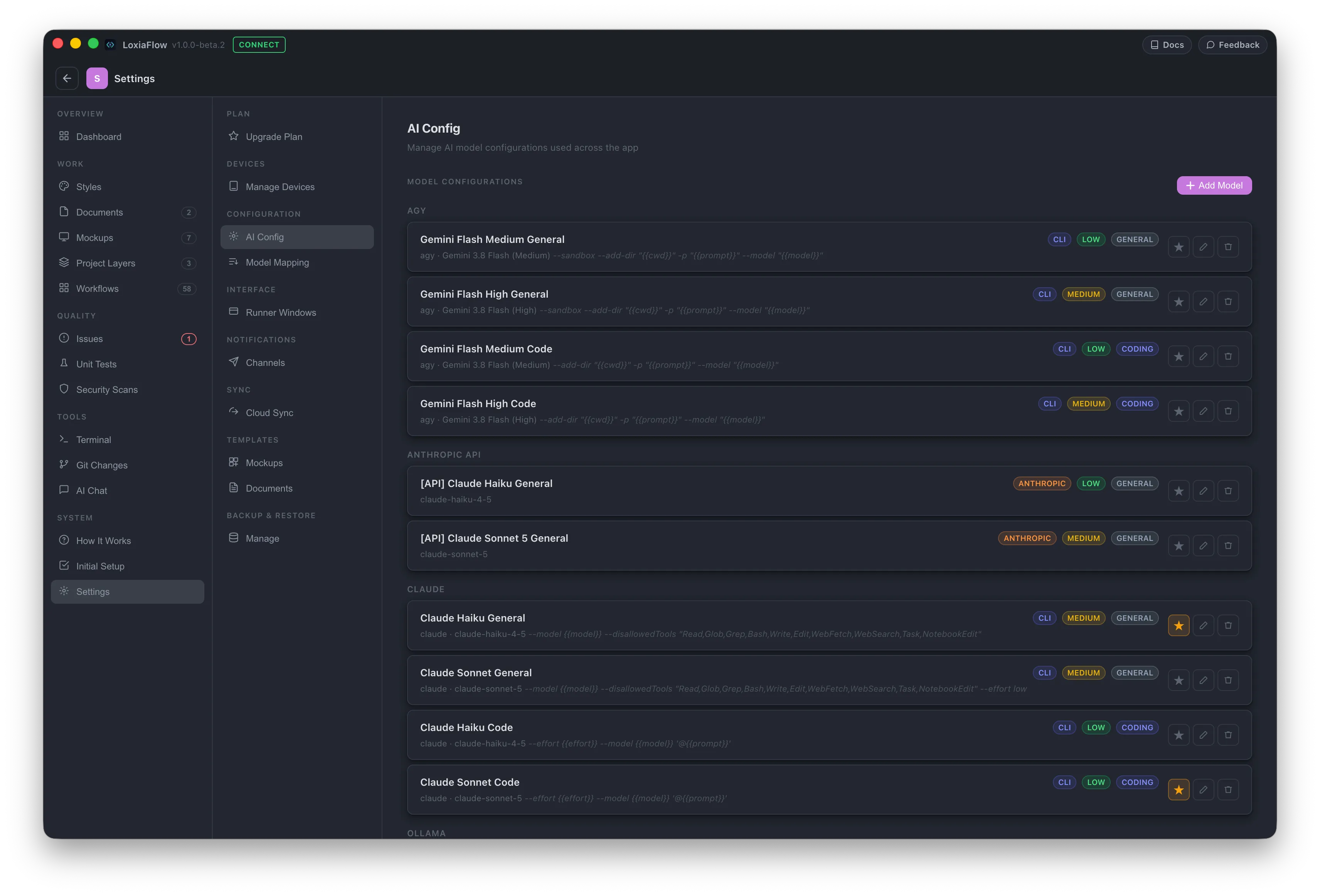
Workflows execute through whichever coding tool you already use — nothing proprietary or locked in. Point LoxiaFlow at an external CLI, or keep everything fully local.
- ✓CLI Pluggability: Plug in Claude CLI, OpenCode (with local Ollama or your own provider key), or any CLI tool already on your PATH.
- ✓100% Local with Ollama: Run on-device models through the LoxiaFlow Agent or OpenCode — zero cloud calls and no per-token billing.
- ✓Consistent Engine Abstraction: The same workflows, prompts, and run controls drive execution across any engine.
Framework-aware tests, generated and run for you
Generates tests for Flutter, Python, .NET, Java, Go, Ruby, and JS/TS, with live-parsed pass/fail results and run history.
- ✓ Auto-detects framework from project markers, not guesswork
- ✓ Logic quick-select identifies files most worth testing
- ✓ Live pass/fail result streaming, with coverage where your framework supports it
- ✓ Turn any failed run into an issue in one click
Per-layer scanning that feeds straight into Issues
Auto-detected scan commands, live output, and severity-tracked history for every layer in your project.
- ✓ Three categories: Dependency Audit, SAST, Secret Leak Scan
- ✓ Built-in secret scanner catches API keys and tokens with zero tools
- ✓ Live severity breakdown and 1-click Create Issue
Track bugs, then batch-fix them with AI
Track bugs with severity and status, then batch-run AI fixes across open issues sequentially.
- ✓ Run Selected interactively, or queue with Run Checked / Run All
- ✓ Live terminal stream and a built-in Git panel with a pre-filled commit message
- ✓ Issues marked Resolved when the agent run finishes without error — review the git diff
Where LoxiaFlow fits next to VS Code and Cursor
VS Code and Cursor are mature, best-in-class editors for writing and debugging code. LoxiaFlow isn't trying to replace them — it sits a level above, planning the work and orchestrating agents that do the coding through CLI engines like Claude CLI, OpenCode, or any CLI on your PATH, while you keep your editor open for diffs and code review.
Plan, run, and check the work
Write specs, define layers, design mockups, and generate workflows. Agents build each feature, then tests, security scans, and success criteria tell you whether it worked.
Review, debug, and fine-tune
Agents write to your local project folder, so VS Code, Cursor, or any editor sees every change straight away — step through code, debug, and make hand edits as usual.
You decide what ships
Review each run's diff in LoxiaFlow's Git panel or your editor, commit what you want to keep, and push to your own CI/CD when you're ready.
Two cost levers — your team decides how to pull them
LoxiaFlow splits AI usage into two categories so your organization isn't paying per-token API rates for heavy coding work when a subscription CLI does it for a flat fee — and the project dashboard tracks your API spend as you go.
CLI Coding Engines
High Token Volume- Claude CLI (Anthropic Pro / Max)
- OpenCode — local Ollama models free, or your own provider key
- LoxiaFlow Agent — Ollama (local GPU, or Ollama Cloud)
- Any custom terminal coding engine on PATH
Massive codebases and multi-file workflows burn through millions of tokens. Running through subscription CLIs or local Ollama costs zero extra API dollars.
Direct Cloud APIs
Low Token Volume- OpenAI-Compatible API (DeepSeek, Groq, Mistral, etc.)
- Anthropic API (Direct Claude Sonnet / Haiku)
- Ollama API (Direct local or private server endpoint)
- Claude CLI / OpenCode (Isolated single-prompt mode)
Writing PRDs, generating mockups, and reviewing architecture layers requires sporadic, fast calls — direct API calls cost fractions of a cent with no subscription needed.
6 of 7 standard SDLC phases, fully covered
LoxiaFlow brings AI to every phase from planning through maintenance — pair it with your existing CI/CD pipeline for the last mile.
Download LoxiaFlow for desktop
Early Access for macOS (Apple Silicon). Free on local Ollama models and OpenCode CLI, with a 14-day trial of cloud engines and unlimited projects.