AI Config
Add, edit, and delete model configurations. Every config has a Type (locked after creation) and a Purpose — Coding (full file/tool access, required for Workflows/Issue Runner/Project Layers) or General (read-only request/response, used everywhere else):
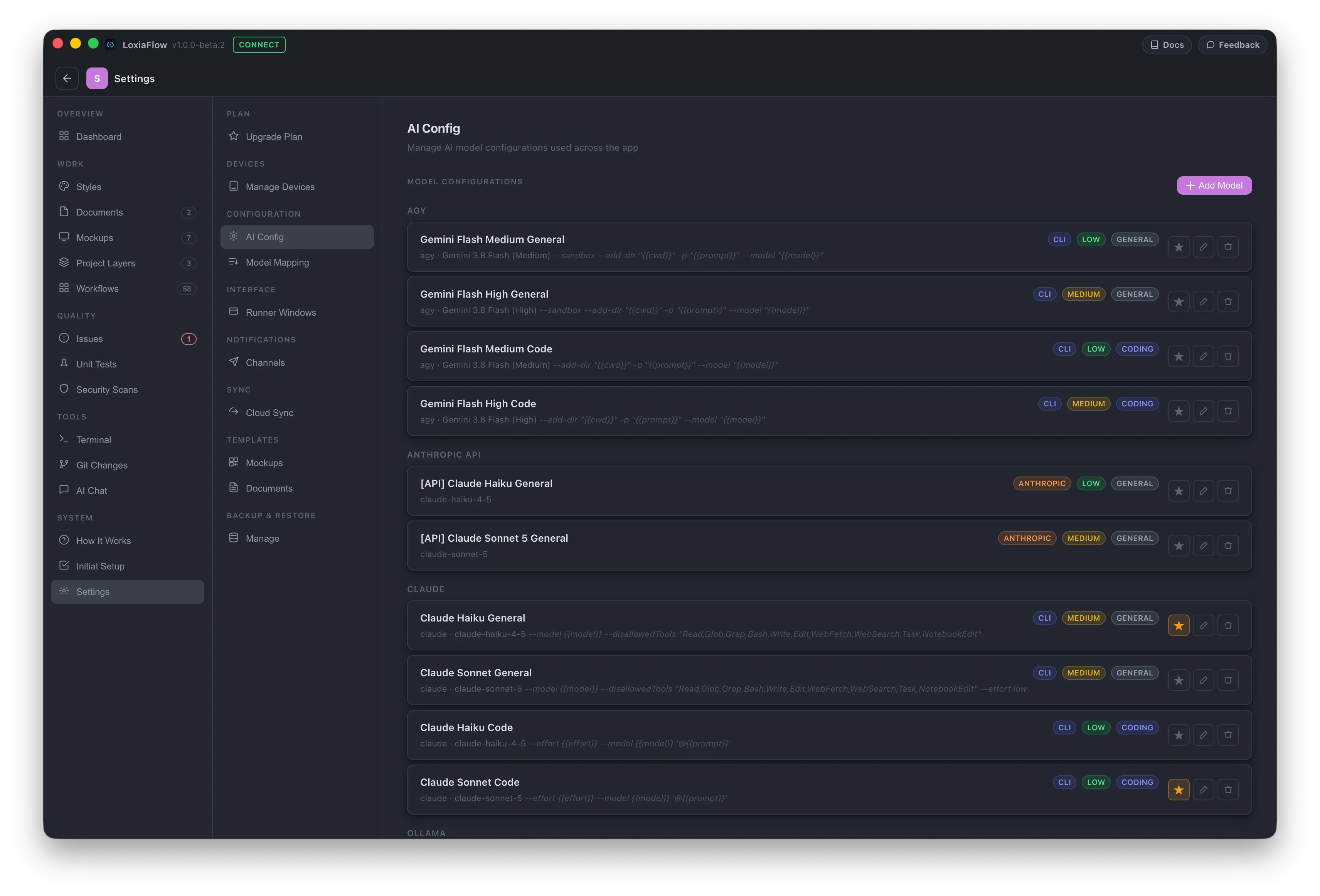
- CLI — an executable in
PATH(claude,agy,aider,copilot, or any other binary), a model name, a command template using{{model}}/{{prompt}}placeholders, plus separate flag fields for batch ("Run All") mode and for skipping permission prompts. - Ollama — Local or Cloud connection mode, a base URL, model picked from a live-queried list (with auto-detected context size), and an agent-loop toggle that mirrors Purpose.
- API — any OpenAI-compatible endpoint (base URL, API key, model, optional max tokens) — OpenAI, Groq, Together, Azure OpenAI, etc.
- Anthropic — a direct Anthropic API key and model.
One config can be marked default (★); it's used wherever a page has no specific mapping.
Model Mapping
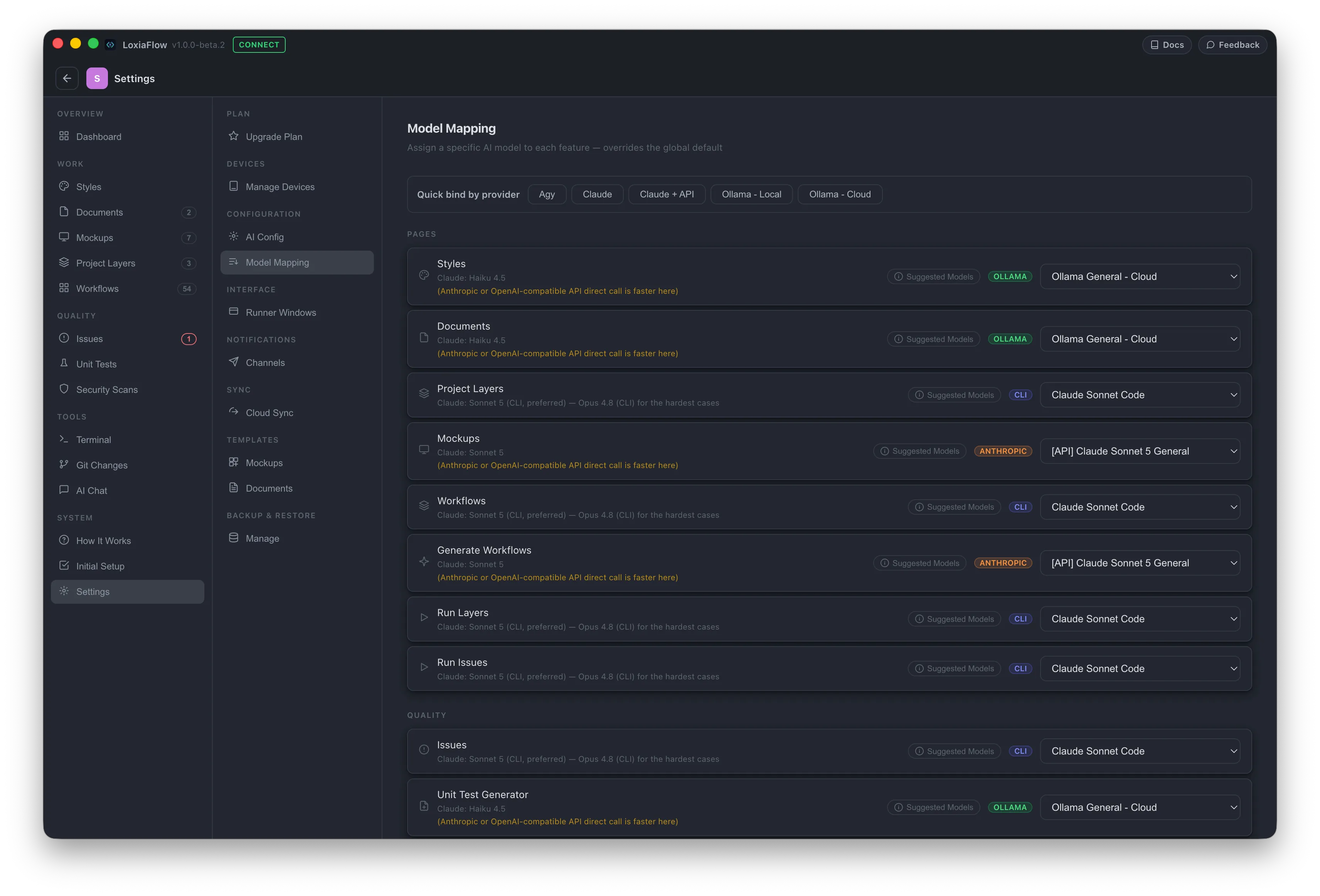
Assign a specific model to each of 12 features (Style Guide, Documents, Project Layers, Mockups, Workflows, Generate Workflows, Run Layers, Run Issues, Issues, Test Generator, Security Scans, AI Chat) instead of relying on the default. Features that execute code (Project Layers, Workflows, Workflow Runner, Issue Runner, Issues) only accept agent-capable Coding models; everything else only accepts General-purpose models. An ⓘ Suggested Models popover on each row shows recommended models per provider for that workload.
Runner Windows
Choose Separate window or Integrated tab independently for the Workflow Runner, Terminal, and Issue Runner — integrated tabs keep running in the background while you navigate elsewhere.
Telegram
Add a bot token and chat ID to receive push notifications when a Workflow Runner or Issue Runner "Run All" batch finishes (plus a Send Test Message button to verify it's wired up correctly).
Cloud Sync
Save a Neon or self-hosted PostgreSQL connection now — actual syncing is marked "coming soon" in the current build.
Document Templates & Mockup Templates
Create, edit, group, and reorder the templates offered when starting a new Document or a new Mockup screen. The built-in "Project Overview" document template is locked (view-only) since several other features parse its section headings by name.
Backup
Export/Restore the whole SQLite database, set a secondary automatic-backup path, or Export/Import a single project's data as its own portable .db file — either adding an imported project's records into your current one (additive, not de-duplicated — this can create duplicates), or importing it as a brand new project.