Describe a screen in plain language and get back a live, self-contained HTML/CSS mockup — styled with your project's own design tokens, built from 35+ starting templates, and previewed in-app without leaving the editor.
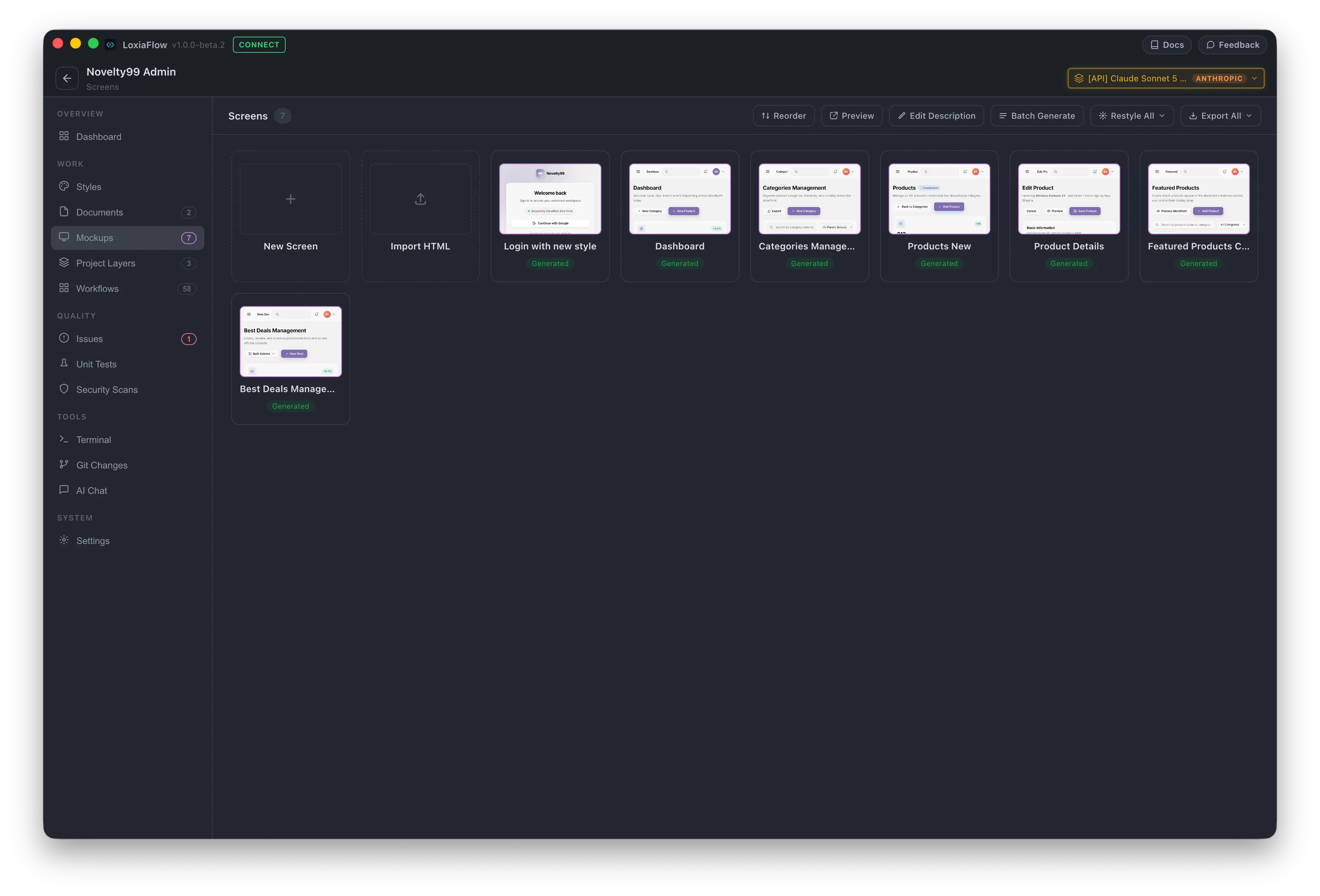
Creating a screen
Click New Screen: give it a Title*, optionally pick a starting Template (grouped Web / Mobile, 35+ built-in templates covering login, dashboards, lists, detail views, settings, wizards, forms, empty states, admin layouts, and landing pages), an optional Reference screen from elsewhere in the project, and a Description — this text is used verbatim as the first AI generation prompt.
Generating (AI Assist)
Describe what you want in the chat panel and send — the model streams back a complete, self-contained HTML document with inline CSS. Every generated screen is required to support both a light and dark color scheme (toggled by LoxiaFlow's own preview switch, not a visible in-page control), and if your project has a Style Guide defined, it's injected into the prompt automatically. If the project has a target platform (Flutter or Android) set, the output is still plain HTML/CSS but is styled to look native — phone framing, Material 3 components, proper touch-target sizing.
There's no intermediate review step — generation applies to the preview immediately. If you don't like a result, the chat message that produced it gets a Rollback button restoring the previous version.
Preview
A live iframe with light/dark and desktop/mobile toggles, plus Open in separate window for a larger view. Elements with data-screen="ID" act as cross-screen prototype links — clicking one switches the active screen in LoxiaFlow instead of navigating a real link, so you can click through a multi-screen flow before any code is wired up.
Batch Generate
Generate multiple screens in one pass: check the screens you want, confirm if any already have content (it will be overwritten), and they run strictly one at a time with live per-row status, with a Stop button to halt the batch after the current screen.
Export
Export HTML (single screen) and the sidebar Export ▾ → PNG options (current screen or all screens) save to disk via a native folder picker.
| Shortcut | Action |
|---|---|
E | Open Edit Details |
M | Toggle desktop/mobile preview |
R | Refresh preview from disk |
Enter (composer) | Generate |
Alt + Enter (composer) | Insert a newline |