What happens the first time you launch LoxiaFlow — a local database is created automatically, and a short onboarding flow gets your first project set up.
- All schema migrations run automatically on startup — there's nothing to configure
- Go to Settings → AI Config and add at least one AI model before using any AI feature
- Create your first project from the Launcher and set a folder path (on the project or on a Project Layer) for git tracking and test running
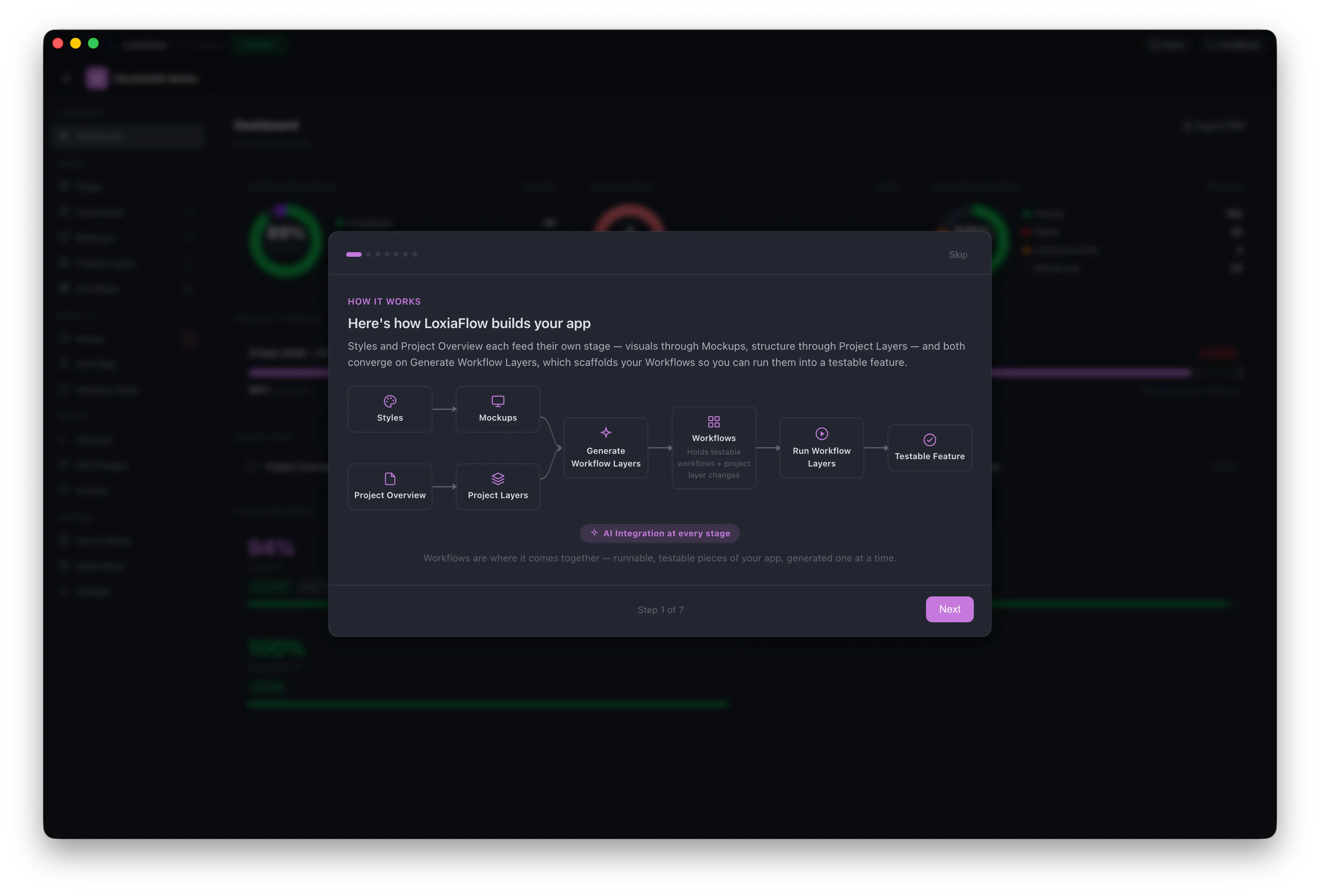
First-run onboarding
New projects that haven't completed onboarding (onboarding_completed is unset) automatically show an Onboarding Wizard the first time you open Project Home. A separate Project Setup Wizard (reachable any time via the sidebar's "Setup" entry) walks through project type/style, a Project Overview Q&A, and an Architecture Q&A — these can populate the project's Style Guide, target platform, and a "Project Overview" document automatically.