Each issue has a Type — Bug, Feature, or Change, set via the + Add ▾ dropdown — and a Severity of Critical, High, Medium (default), or Low. Status moves through Open → In Progress → Resolved / Closed / Won't Fix, and a required Layer links the issue to a Project Layer so the Issue Runner knows which folder to work in.
Every issue needs a Title plus a description/details field; Bugs additionally capture Steps to Reproduce, Expected Behavior, and Actual Behavior.
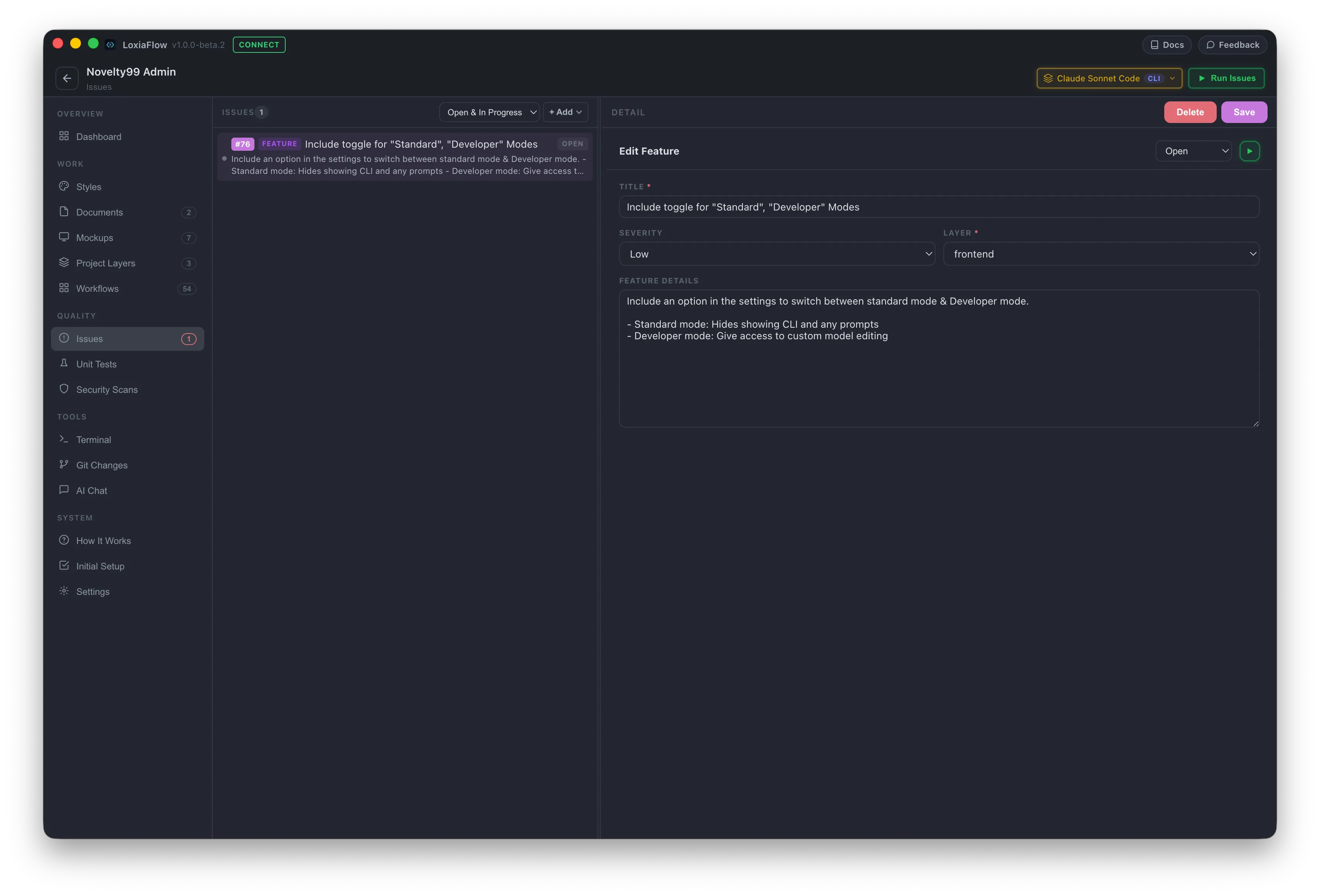
List & filtering
The status filter defaults to a combined Open & In Progress view; each row shows a severity dot, a colored type badge, title, status chip, and a truncated description. Switching rows auto-saves any pending edit in the currently open form first.
Running an issue
An existing issue's detail header has a ▶ Play button — "Run in Issue Runner" — which saves the issue and opens the Issue Runner deep-linked directly to it with auto-run enabled.
Rapid entry
After saving a new issue, the form clears Title/Description/Steps/Expected/Actual but keeps your Layer and Severity selection and refocuses Title — built for logging several issues back-to-back without re-selecting the layer each time.
| Shortcut | Action |
|---|---|
Ctrl + S | Save the current issue form (currently only registers the physical Ctrl key on this page, not Cmd on macOS) |