Break your project into architectural layers — Frontend, Backend API, Mobile, Database, Infrastructure — each with its own setup instructions, scaffold structure, and folder path, so every other feature knows what your project actually looks like.
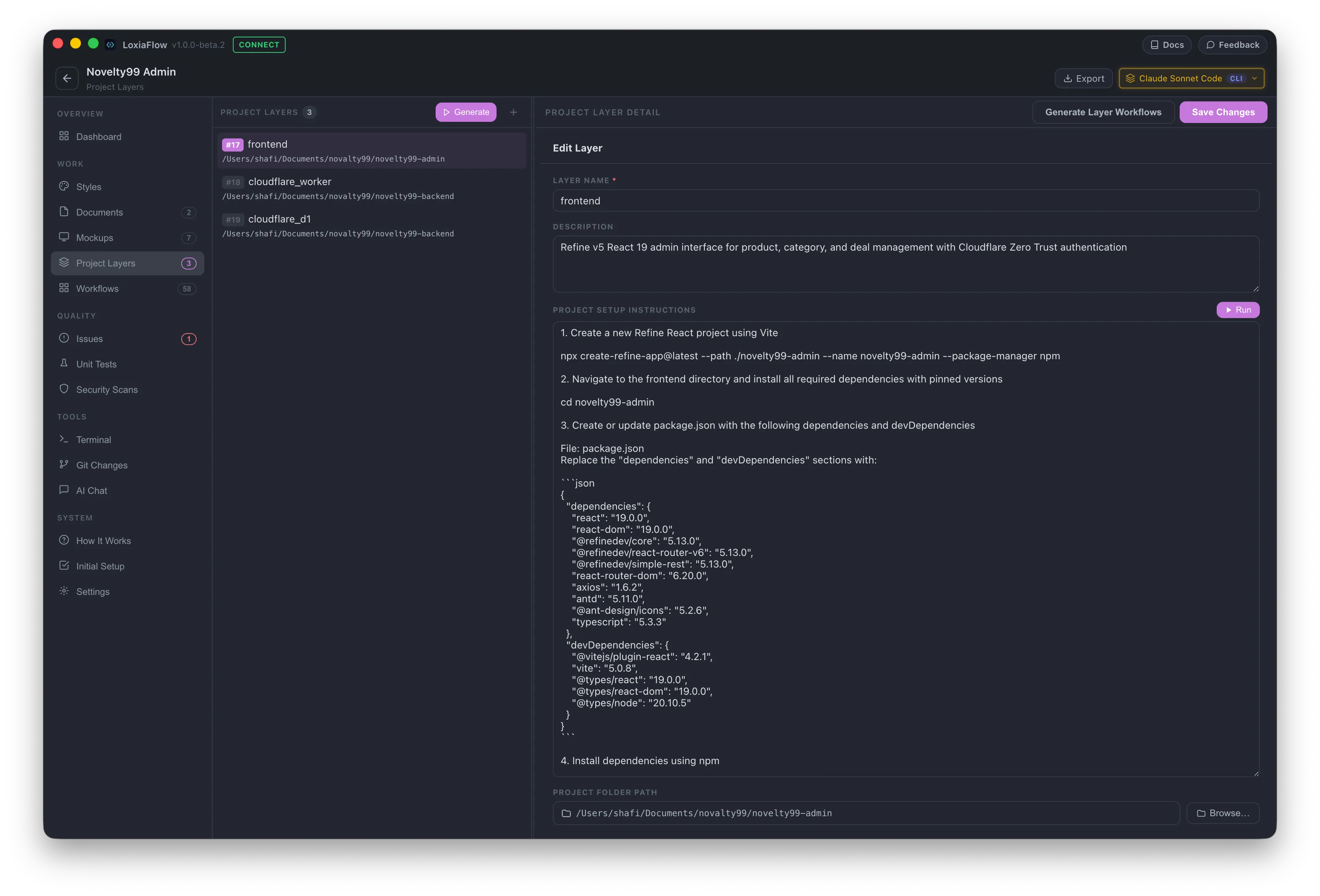
Layout
A resizable two-pane workspace: the layer list on the left (30%), the detail form on the right (70%). Selecting a different layer, adding a new one, or leaving the page all silently auto-save any pending edits first — you never lose in-progress changes by clicking away.
Layer fields
- Layer Name* — required, up to 120 characters.
- Description — free text.
- Project Setup Instructions — the numbered steps to set this layer up locally (scaffold command, dependency install, env vars, run command). Has its own Run button (see below).
- Scaffold Structure — one folder path per line, stored as a JSON array. Also has a Run button, for creating empty folders only.
- Project Folder Path — a native folder picker. Selecting a folder here also triggers an automatic git-init check (see below).
Generate layers from documents (AI)
Click Generate in the list header to open a modal: select one or more Documents, review/edit the auto-built prompt, then Generate. The AI is instructed to find a "System Structure YAML" block in your docs and use those exact layer names — it won't invent, merge, or rename layers if that block exists. For each layer it proposes a scaffold_structure (nested clean-architecture folders named after your actual entities/features) and full setup_instructions (scaffold command, pinned dependency versions, env vars, run command, and any external service setup like Firebase/Stripe/Auth0), written for someone who's never set this stack up before.
Suggested layers are written straight to the database — there's no separate review/edit step before creation. Layers whose name already exists (case-insensitive) are skipped rather than duplicated.
Run Setup / Run Scaffold (AI agent execution)
The Run button next to Setup Instructions (or Scaffold Structure) opens an embedded terminal and has the AI execute your setup instructions itself — running real shell commands, not just describing them. This requires a CLI-type model, or an Ollama model with "Use LoxiaFlow Agent loop" enabled, selected in the header Model Picker; other model types can't run this. The session runs with permission prompts skipped so it doesn't stall waiting for approval on each command, and the modal's close button stays disabled until the run finishes.
Git auto-init check
Whenever you pick a folder for a layer, LoxiaFlow checks whether it's already a git repository. If not, it offers to run git init for you right there.
Export
Exports the currently open layer's fields as a Markdown file via a native folder picker, warning before overwriting an existing file of the same name.
| Shortcut | Action |
|---|---|
Ctrl/Cmd + N | Open the Add Layer form |
Ctrl/Cmd + S | Save the current layer form |