A real, in-app shell scoped to whichever Project Layer you're working in, with a Git Changes panel a click away — no need to alt-tab to a separate terminal window.
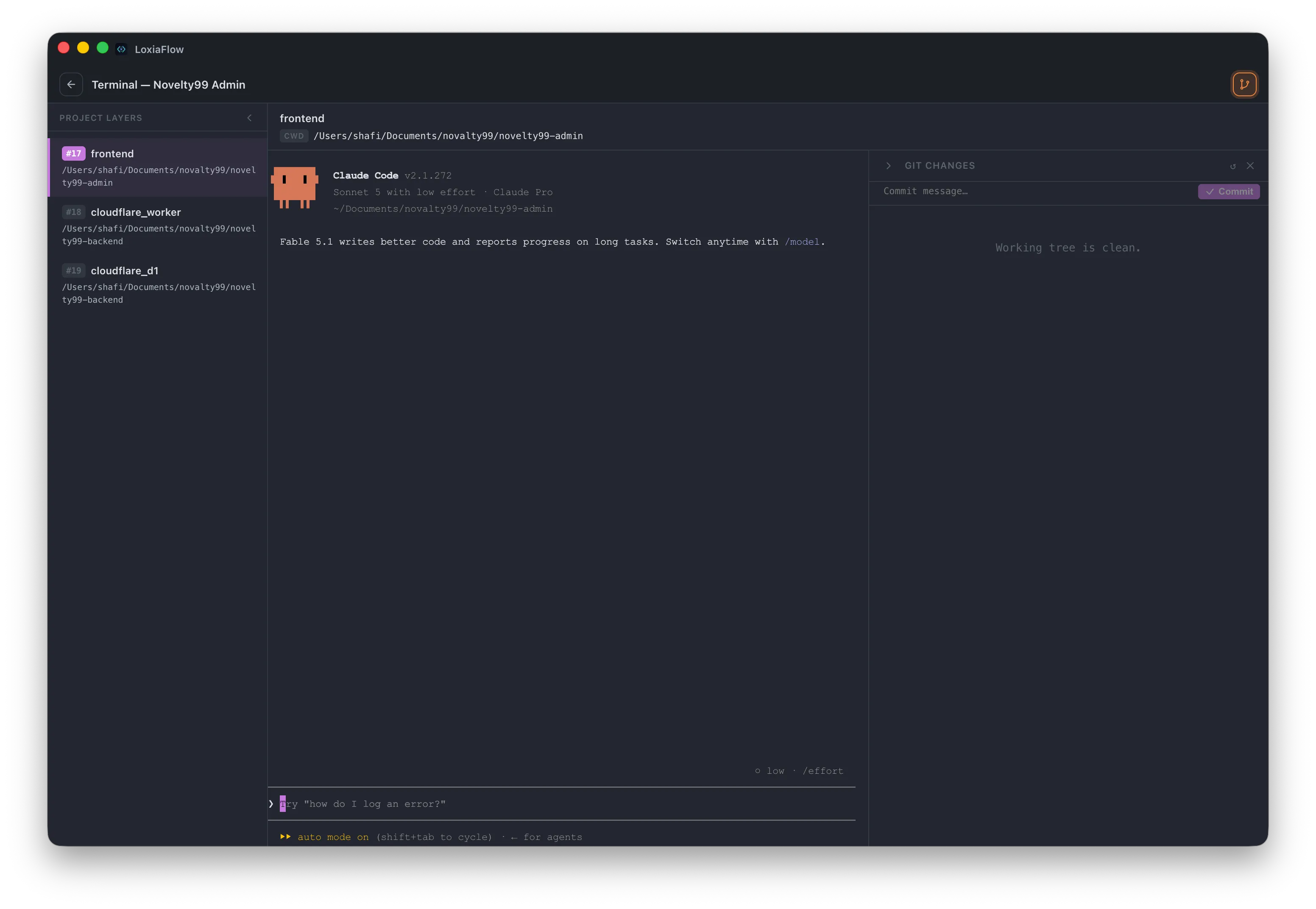
Real shell, per-layer
Built on xterm.js + node-pty — a genuine shell process, not a command-runner. Clicking a different Project Layer in the left sidebar doesn't spawn a new shell; it cds the existing session into that layer's folder in place, so your shell history and any running background process stay intact.
Git Changes panel
A collapsible right-hand panel: accordion file list with expand/collapse-all, lazily-loaded diffs, and a commit bar. It polls git status every 5 seconds while the Terminal page is open, and is smart about skipping a full re-render if nothing actually changed since the last poll.
In-app tab vs. pop-out window
Configurable in Settings → Runner Windows. As a pop-out, reopening Terminal for the same project reuses the existing window rather than spawning a duplicate; switching to a different project in an already-open pop-out tears down the old shell first.